Token Troubleshooting
If your Wd Proxkey token is locked, or you've forgotten its password, initializing (formatting) the token resets it, but it also erases any certificate currently loaded on it.
Initializing your token completely erases whatever certificate is currently loaded on it. Only do this if your token is genuinely locked/unusable, or you're deliberately preparing it to load a new certificate. If you can still access your existing certificate, back up any signed documents you need first, the certificate itself cannot be exported or backed up, but you'll need to coordinate re-issuance with your DSC vendor or CA afterward.
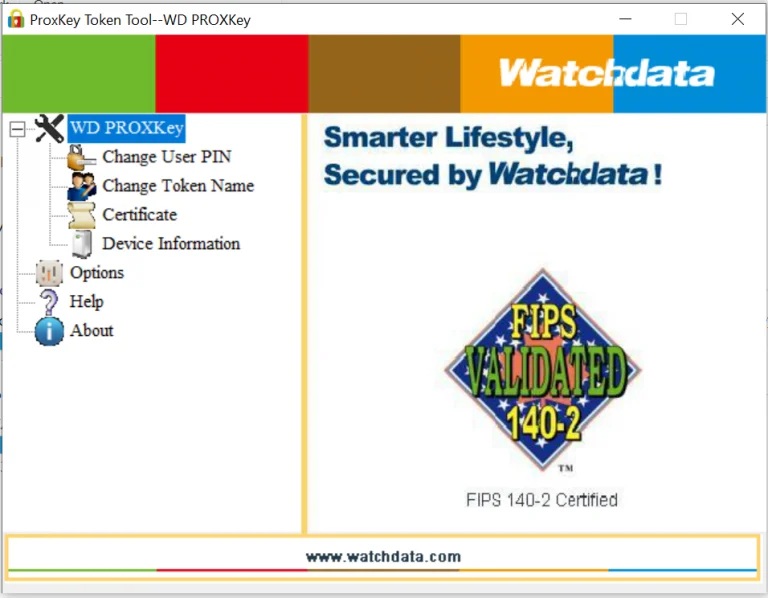
This process uses the WD PROXKey token management tool that installs alongside the token drivers.
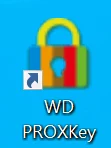
Double-click the WD PROXKey icon on your desktop to launch the token management utility.
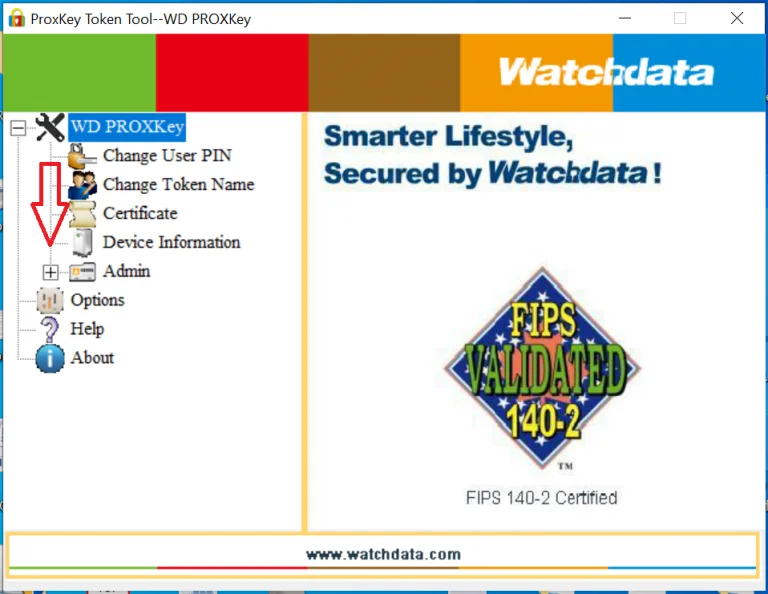
With the tool open, press Ctrl+Alt+W on your keyboard, this reveals the Admin option in the interface.
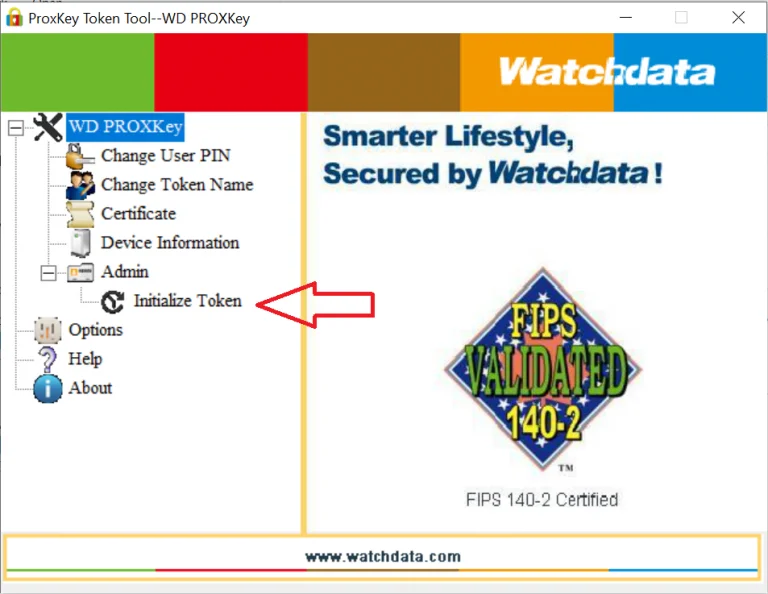
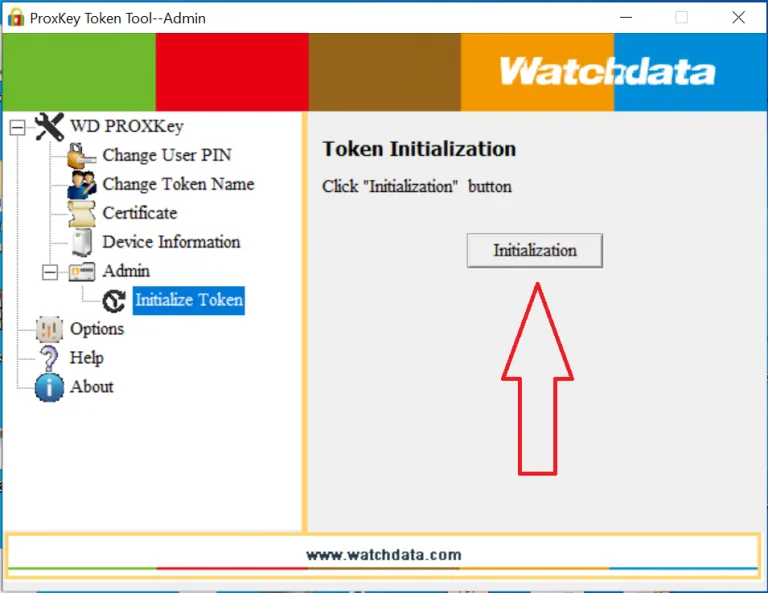
Click the + sign next to Admin, then choose Initialize Token.
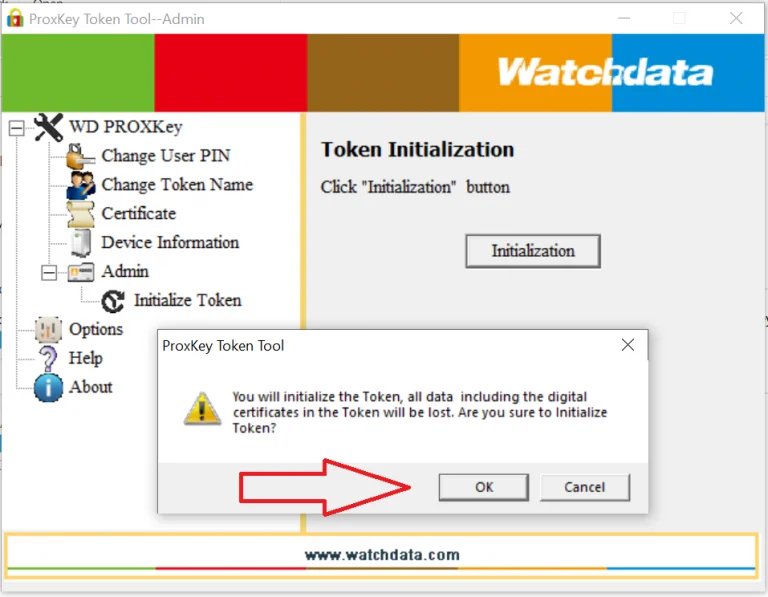
Click Initialization, then confirm, you'll see a warning that all existing certificates on the token will be lost. Click OK, and do not unplug the token while this is in progress.
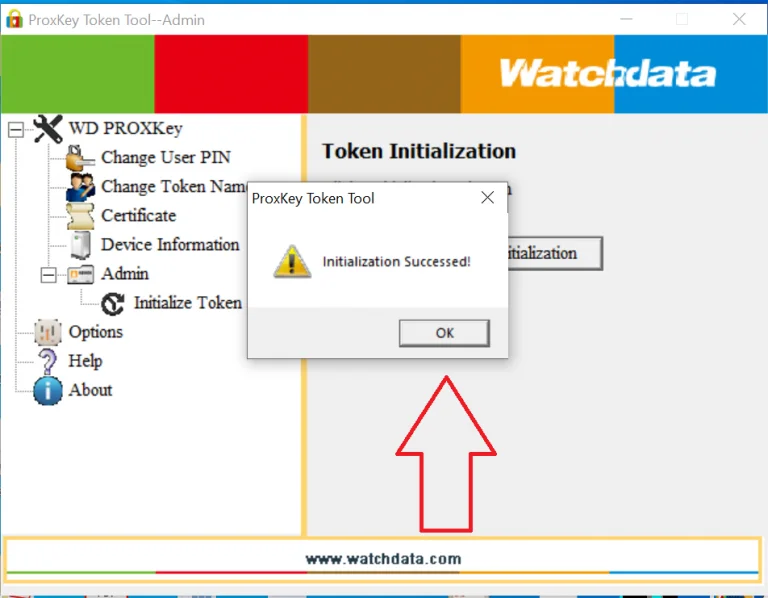
Once initialization completes, reconnect the token and contact your DSC vendor or CA to have your certificate reissued or reloaded onto the freshly reset token.
This usually means your token driver is outdated. Download and install the latest Windows driver from your token vendor, restart your computer, and try again.
Once your Proxkey is reset, we can help get your certificate reissued and loaded back on, or issue a fresh DSC if needed.
Yes, initializing (formatting) the token erases whatever certificate is currently loaded on it. You'll need to have it reissued or reloaded afterward.
Initializing the token doesn't require the old password, it's designed as a full reset when a token is locked or the password is unknown.
The general concept (initialize/format) is similar, but the specific tool and menu steps differ by brand, message us if you need the exact steps for your token.