Installing emSigner & associating your DSC on MCA
Follow every step in order, screenshots included, so nothing gets missed.
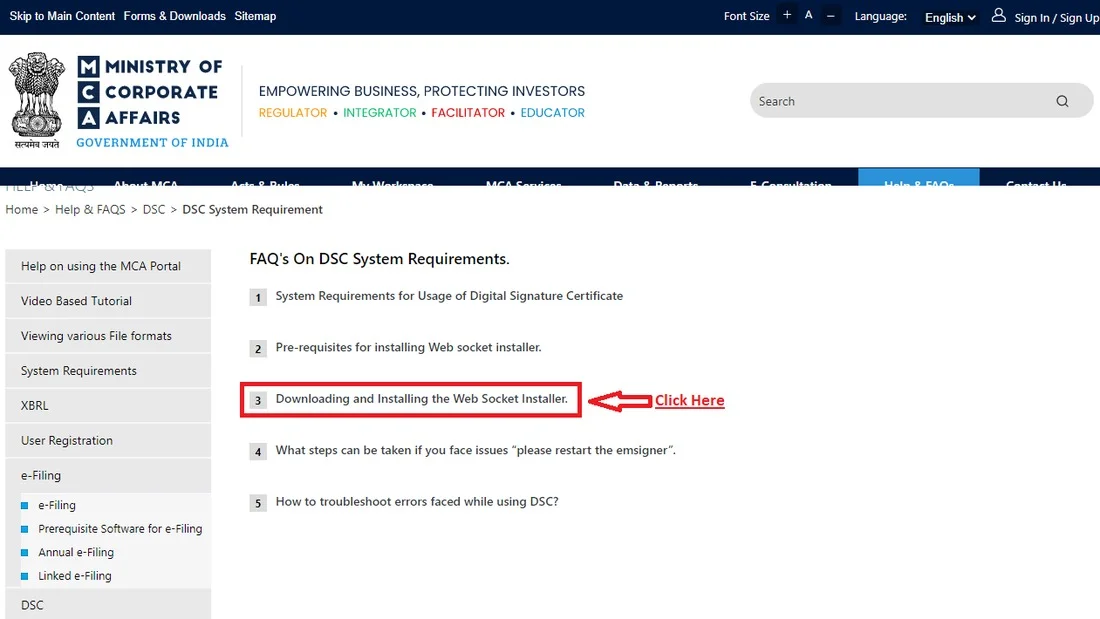
Find the Web Socket Installer on MCA's Help & FAQs
On the MCA portal, go to Help & FAQs → DSC → DSC System Requirement. Under "Downloading and Installing the Web Socket Installer", you'll find the link to get the setup file.
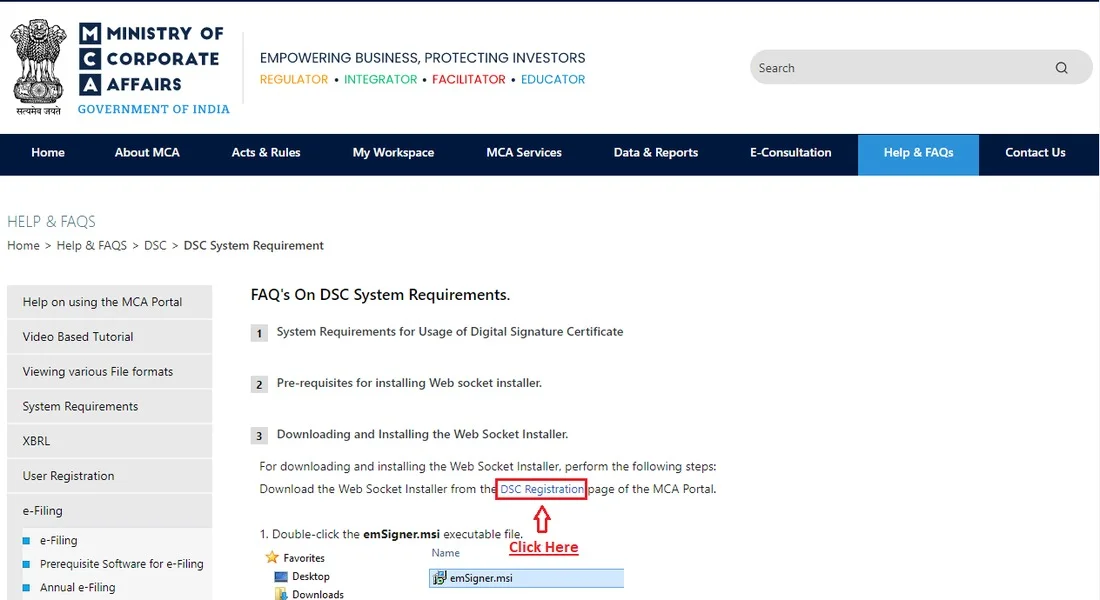
Download from the DSC Registration page
The FAQ answer links straight to the DSC Registration page of the MCA portal, click through and download emSigner.msi from there.
Open the downloaded emSigner.msi file
In your Downloads folder, find emSigner.msi and double-click it to launch the setup wizard.

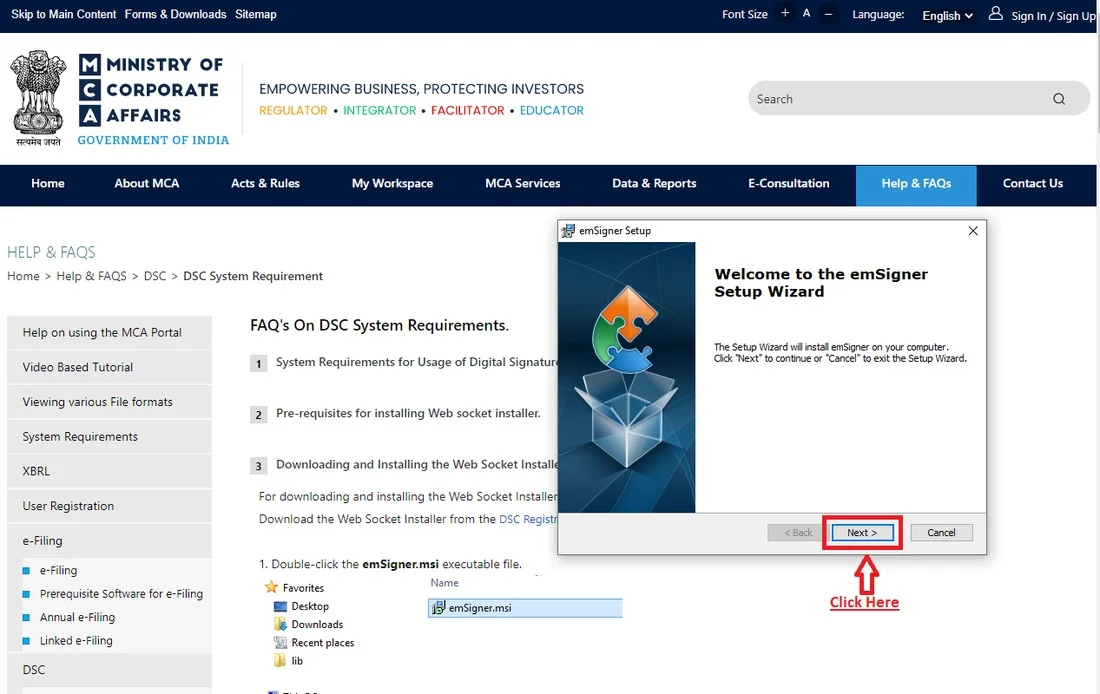
Start the Setup Wizard
The emSigner Setup Wizard opens with a welcome screen. Click Next to continue.
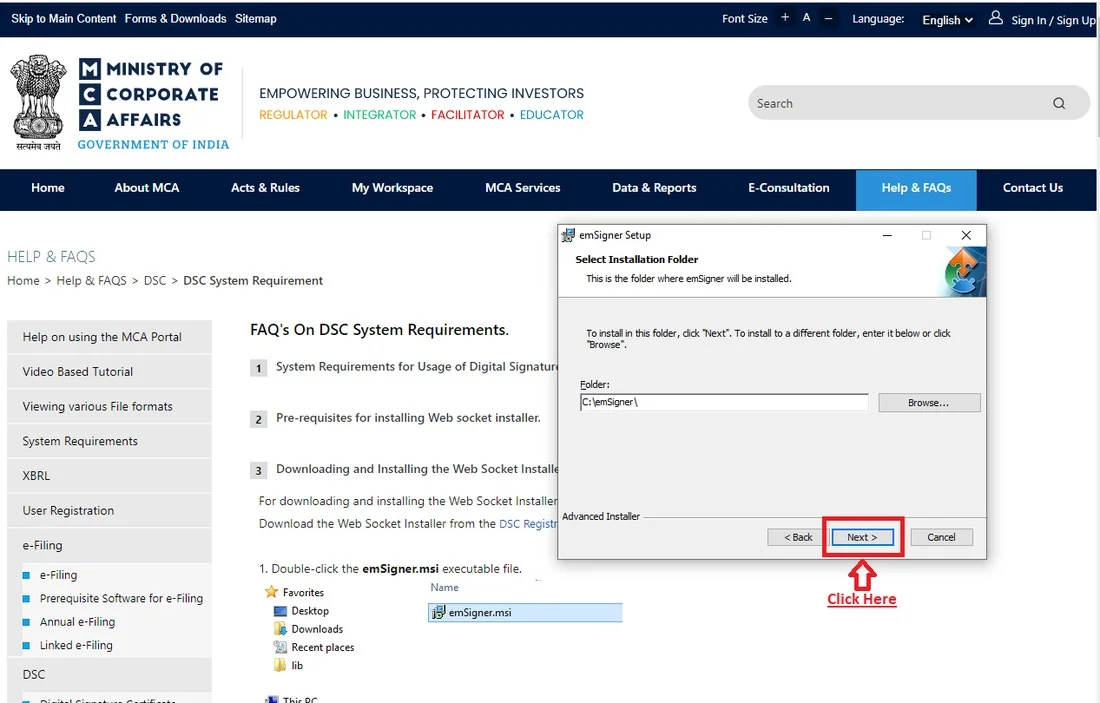
Choose the installation folder
Leave the default folder (C:\emSigner\) as is, unless you have a specific reason to change it, then click Next.
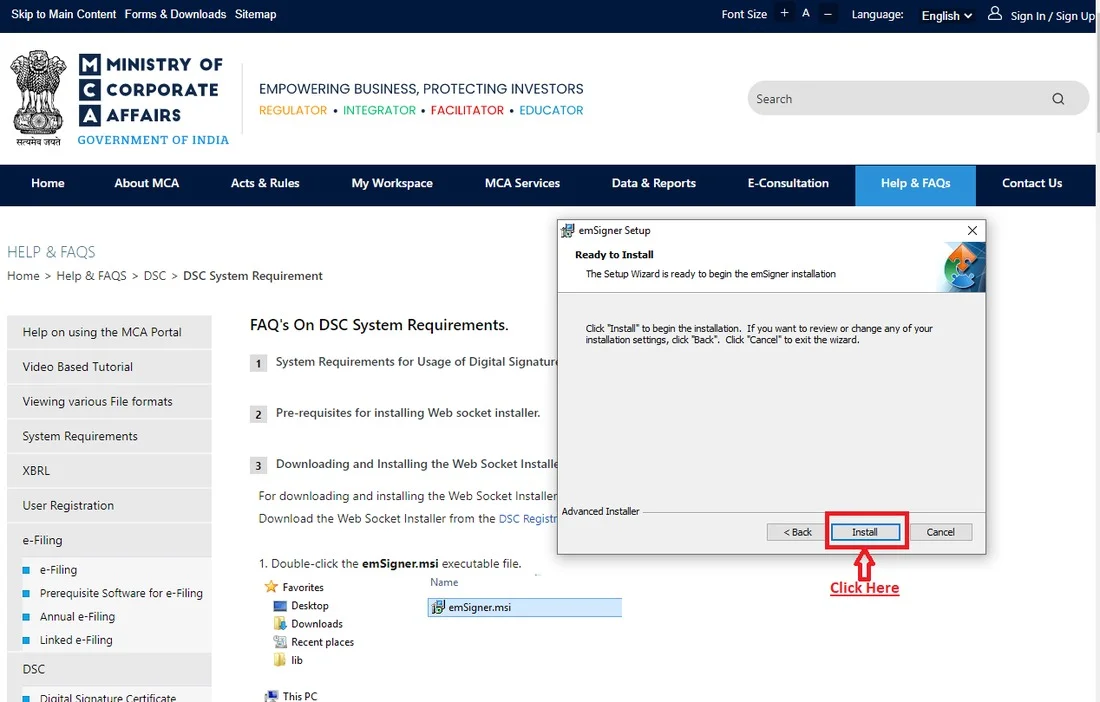
Install
Click Install to begin. If Windows shows a permission prompt, allow it, this is expected for signing software.
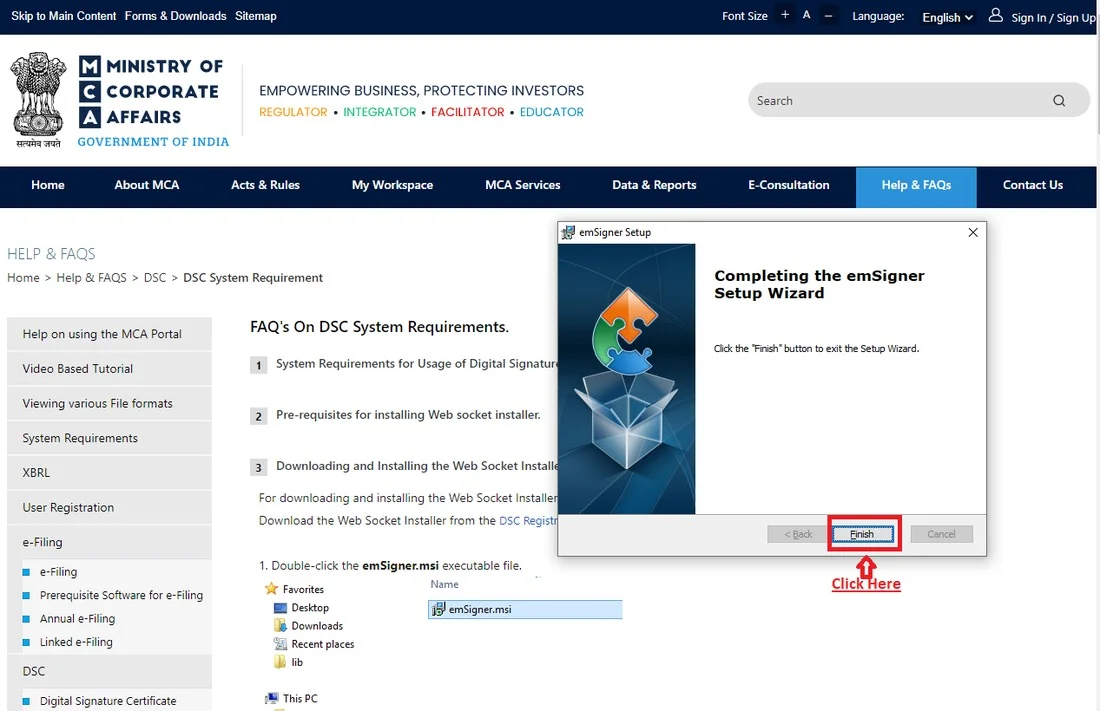
Finish the wizard
Once installation completes, click Finish to close the wizard.
Run emSigner as Administrator, every time
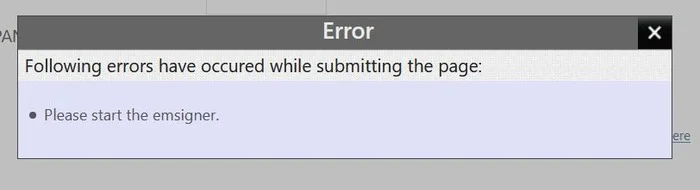
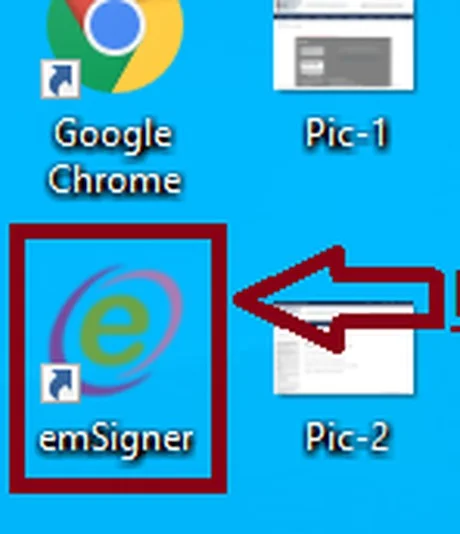
This is the step most people skip. Right-click the emSigner icon on your desktop and choose Run as administrator. It needs to be running (even minimized) whenever you sign on MCA.
Go to Associate DSC on MCA Services
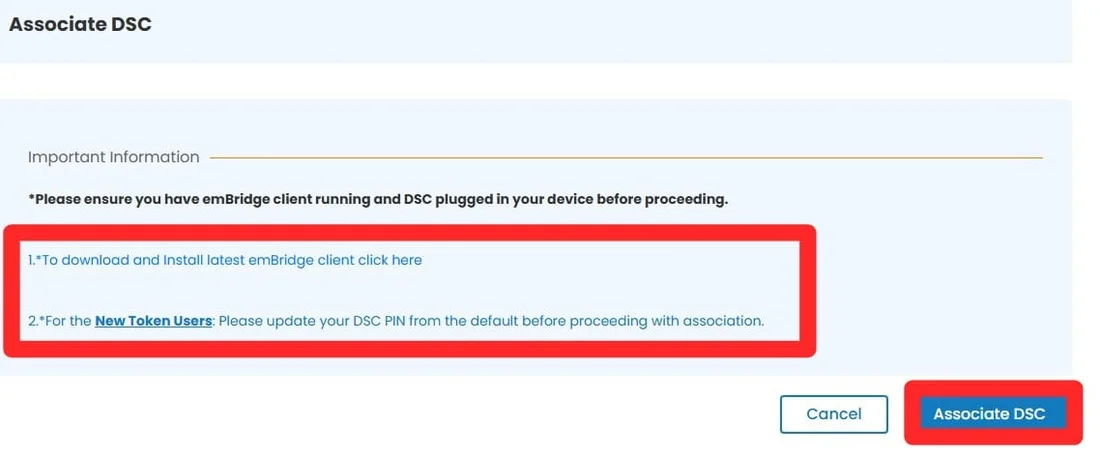
Log in to the MCA V3 portal, open the MCA Services menu, and select Associate DSC. Make sure emSigner is running and your token is plugged in before you proceed.

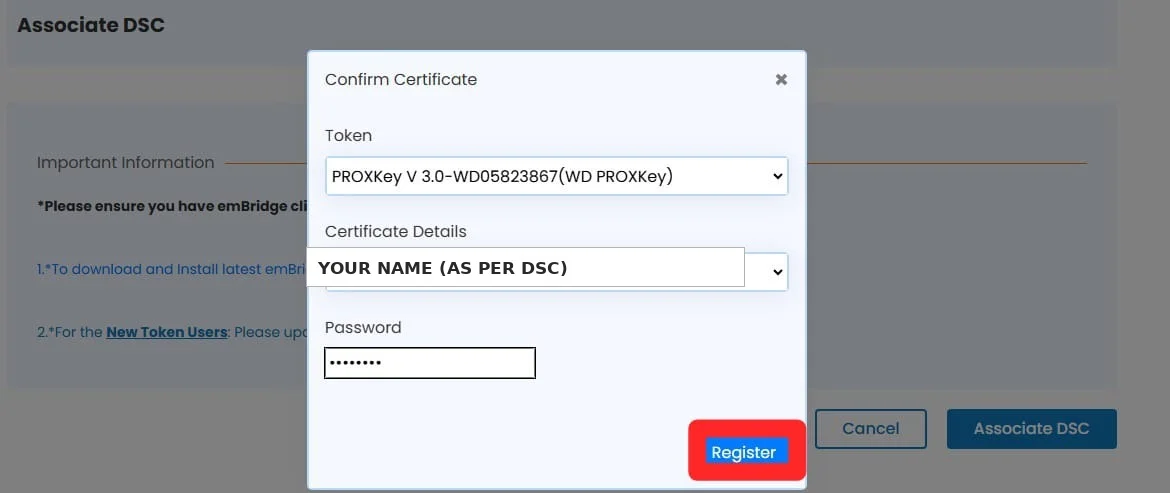
Confirm your certificate and register
Select your token from the dropdown, confirm your name matches the certificate details, enter your DSC PIN, and click Register. You're now associated and ready to sign.